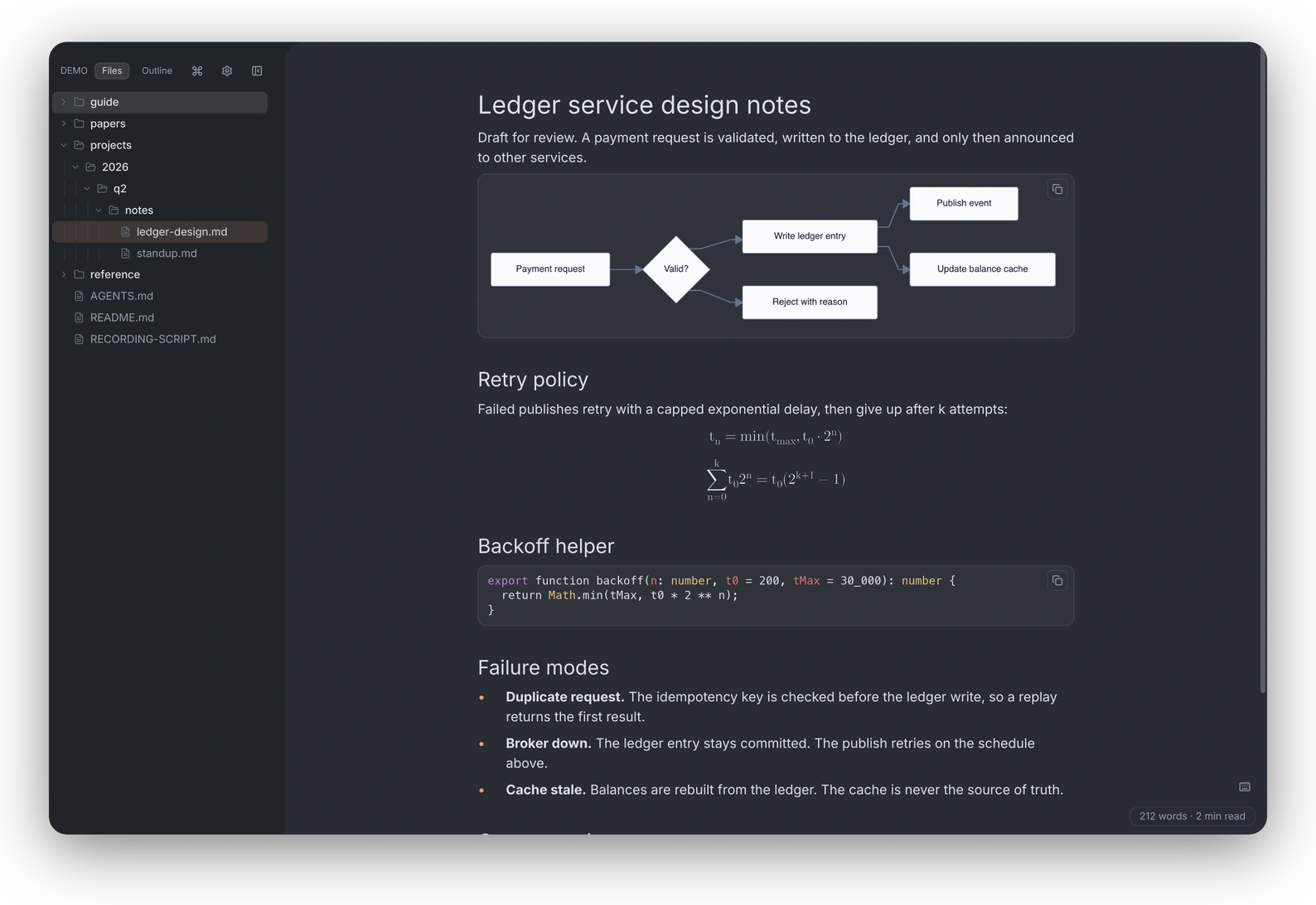
Read the whole Markdown workspace.
Native Mermaid, LaTeX math, and mind maps in a Rust app with no Electron and a ~150 ms cold start (historical benchmark). An agent-drivable CLI keeps the right section in view.
MIT license · macOS builds signed and notarized · by the author of c9watch · benchmarks · also on Linux
Drive the window from a shell script.
Shell scripts, editor extensions, and coding agents can keep the running window on the file and heading a person needs. Each command returns one line of JSON.
# open a spec at the section under discussion
$ rmdv open docs/spec.md --section "API/Authentication"
{"id":1,"ok":true}

# ask the window where the reader is
$ rmdv current
{"id":1,"ok":true,"result":{"file":"/repo/docs/spec.md",
 "line":42,"mode":"view","folder":"/repo"}}

# outline a file; no window needed
$ rmdv list-sections docs/spec.md | jq -r '.[].path'
API
API/Authentication
API/Rate limitsrmdv current prints one line, wrapped here to fit.One native instance. Commands talk to the running app over a local socket.
Useful state, not prose. Machine-readable responses make the interface dependable in scripts.
Human stays oriented. An agent can reveal its source material at the exact section being discussed.
Open any folder as a workspace.
Open existing files where they already live. There is no import step, vault format, or hidden copy.
- Browse
- A familiar file tree and fuzzy finder for moving between documents.
- ⌘P
- Map
- Document mindmaps for structure; Full Mindmap for workspace navigation.
- ⌘⇧M
- Search
- Search one document or the whole folder without leaving the reader.
- ⌘⇧F
- Edit
- Make a focused change in place, with unsaved work protected across navigation.
- ⌘E
Markdown, code, diagrams, math, and data files.
Markdown, code, diagrams, math, JSON, YAML, TOML, and text PDFs are rendered locally with the same restrained interface around them.
Seven shortcuts cover the reader.
The table uses the reader's native app bindings and names. Try j and k on this page, or press ⌘/ for website shortcuts.
On Windows and Linux, rmdv uses Ctrl instead of ⌘. The seven app shortcuts above are shown for reference and are not captured by this website.
About 150 ms to first paint.
The renderer is viewport-aware: only visible blocks become widgets. These historical measurements are evidence, not current guarantees.
v0.2.0 on an Apple M2 MacBook Pro, median of five runs; current builds may differ. Read the methodology.
Five questions before you install.
The answers a first-time visitor usually needs.
- Is rmdv free and open source?
- Yes. rmdv is MIT-licensed and free to use, modify, and distribute. The source is public on GitHub.
- How is rmdv different from Obsidian?
- rmdv is a read-focused viewer, not a note-linking knowledge base. It opens folders without vault setup and has no plugin ecosystem.
- Does rmdv process Markdown locally?
- rmdv renders Markdown and diagrams locally. The app may make network requests for update checks and remote images referenced by a document.
- What is the difference between document Mindmap and Full Mindmap?
- Document Mindmap turns the current Markdown, JSON, YAML, or TOML file into a tree. Full Mindmap is a separate workspace navigator for folders and files, with a read-only preview.
- How do I install it?
- Use the macOS disk image, the Linux AppImage, or build from source with Rust 1.80 or newer. After opening a packaged app, use Install CLI from the command palette to expose the rmdv command. Windows builds disable the PDF feature.
Install rmdv on macOS or Linux, or build it.
Free, open source, and available as a native desktop app.